डीएससी भुगतान के दुरुपयोग और ऑनलाइन सेंटर चलाने की शिकायत पर अब तक नहीं हो सका मस्त मौला सचिव पर अनुशासनात्मक कार्यवाही।

@ब्यूरो रिर्पोट जाज्वल्य न्यूज हिम्मत सच कहने की,जांजगीर–चांपा
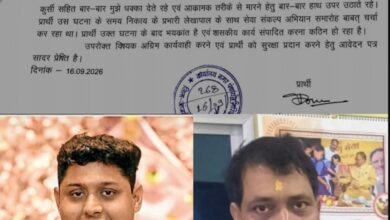
जनपद पंचायत नवागढ़ अंतर्गत हाथीटिकरा सरपंच तिहारू राम पटेल द्वारा डीएससी का दुरुपयोग करते हुऐ स्वयं द्वारा संचालित ऑनलाइन सेंटर में किए जाने का शिकायत जन चौपाल सहित जिले उच्च अधिकारियों को किया गया था आख़िरकार थक कर जिला पंचायत में अपना शिकायत करते हुऐ गुहार लगाया था जिस पर तत्परता दिखाते हुऐ मुख्य कार्यपालन अधिकारी डॉ. ज्योति पटेल द्वारा कारण बताओ नोटिस भेजकर 3 दिवस के भीतर उपसंचालक के समक्ष उपस्थित होकर जवाब देने कहा था जिसमें उपस्थित ना होने की दशा में एकतरफा कार्यवाही की बात कहा गया था जिसका जवाब देने सचिव प्रकाश साहू समय पर उपस्थित नहीं हुए उसके बाद पुनः समय देने की बात कहते हुए कार्यवाही करने से पहले एक मौका देने के बात उपसंचालक अभिमन्यु सहित द्वारा बताया गया लेकिन विभागीय कार्यवाही में इतना विलंब होने का कारण से स्पष्ट होता है कि ग्राम पंचायत सचिव को सुरक्षित बचाने हर तरह प्रयास किया जा रहा है वही लगातार विवाद में रहे प्रकाश साहू के ऊपर ग्रामीणों द्वारा कुआ सफाई मरम्मत एवं अन्य कार्य के नाम पर ग्राम पंचायतों में लाखो रूपये के भ्रष्टाचार करने कई आरोप भी लगाए थे। जिसका शिकायत दबे पांव धीरे-धीरे उच्च कार्यालय की ओर बढ़ रहे हैं बहर हाल देखने वाली बात यह होगी कि ग्रामीणों को किसी तरह समझा-बुझाकर शिकायत रोक लिया जाएगा या ग्रामीणों द्वारा शिकायत कर पंचायत सचिव पर विधिवत कार्यवाही कराने आगे आएंगे। हाथीटिकरा सरपंच के द्वारा बिना बिल वाउचर के भुगतान करने और अब तक बिल सरपंच को नहीं देने का शिकायत किया गया था अब तक विभागीय कार्यवाही नही होने प्रकाश साहू का मनोबल इतना बढ़ा हुआ है इसी बात से अंदाजा लगाया जा सकता है कि आज पर्यन्त तक लगातार पत्नी के नाम पर ऑनलाइन सेंटर एवं ट्रेडर्स का बिल सरपंच सचिव को धड़ल्ले से बांटा जा रहा है
वर्तमान में नाम बदलकर आदिशक्ति कंप्यूटर सेंटर संचालित किया जा रहा है जो ग्राम पंचायत में कम और ऑनलाइन सेंटर पर ज्यादा बैठकर काम करते हैं और ग्रामीणों को अपने कार्य कराने के लिए जांजगीर का चक्कर लगाना पड़ता है। जबकि वहां रोज पंचायत संबंधी अनेक कार्य लगातार किया जा रहा है जो उच्च अधिकारियों को जांच करने का बड़ा विषय है। फिर भी उच्च अधिकारी को इस संबंध में संज्ञान लेने फुर्सत नहीं ।